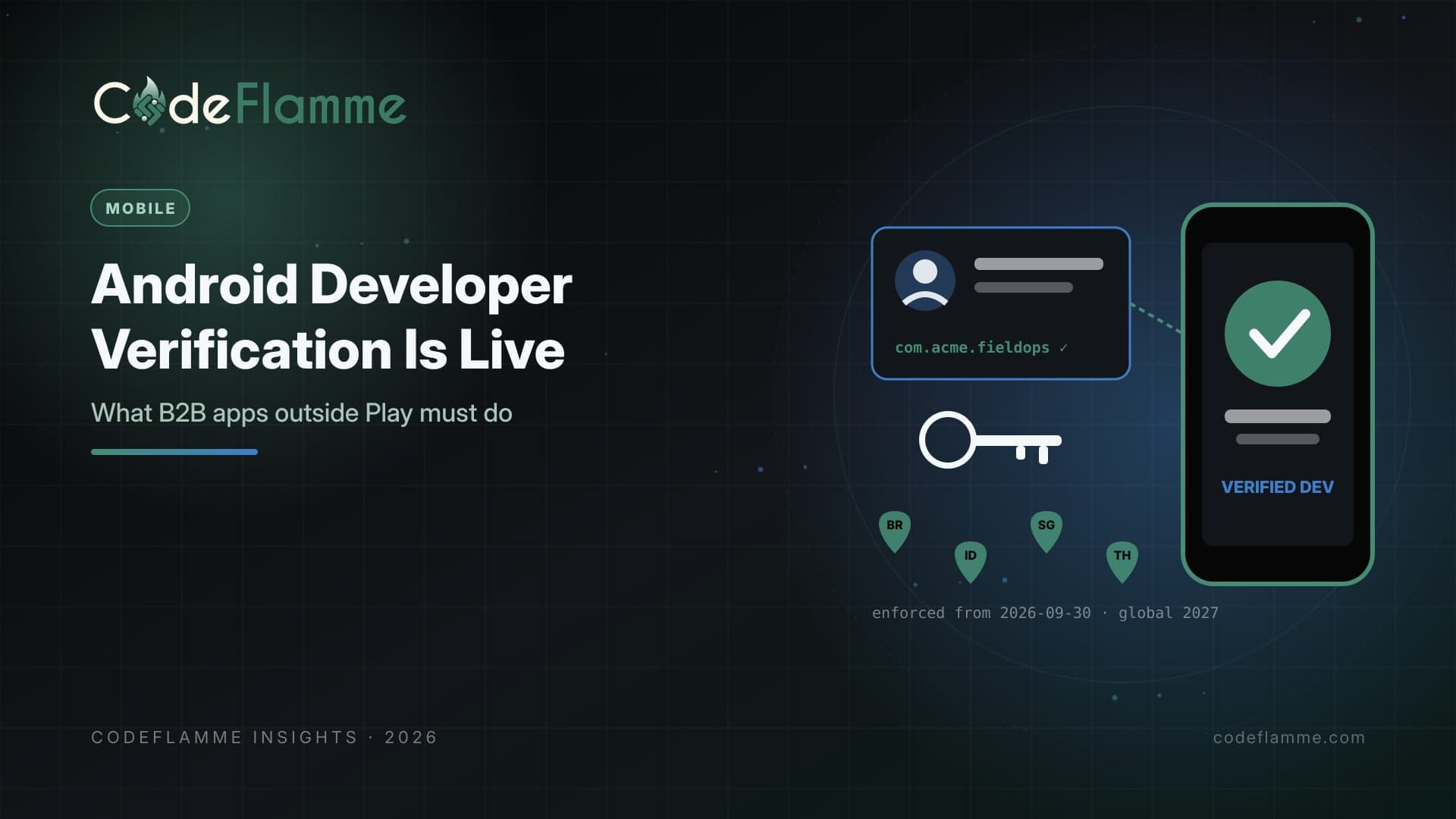
On September 30, 2026, Android developer verification started enforcing for users in Brazil, Indonesia, Singapore, and Thailand. On certified Android devices in those countries, apps installed or updated from participating stores, including Google Play, Samsung Galaxy Store, Xiaomi GetApps, and several other OEM stores, must be registered to a verified developer. Google says it will expand these protections globally for all apps on certified devices in 2027, and that the verification capability will extend to all third-party Android app stores. For B2B founders, this is not just a consumer-app story. Field-service apps, logistics scanners, kiosk software, and white-labeled client apps are often distributed in messy ways: a Play listing for some customers, an MDM push for others, and a direct APK link for the pilot that never got cleaned up. Verification forces you to know every one of those paths.
What verification actually requires
Google describes three steps. First, if you distribute only outside Google Play, create an account in the Android Developer Console; Play developers use their existing Play Console. Second, verify your identity as an individual or organization with information and documentation, and organizations also verify their website through Google Search Console. Third, register package names by proving ownership with an APK signed with your private key, linking the app and its signing key to your developer account. Google's FAQ says apps using Play App Signing are claimed automatically because Google already has the information to identify ownership.
Map every distribution path you have
Before touching a console, inventory how each app reaches devices: public Play listing, Managed Google Play private app, MDM or EMM push, partner OEM store, direct APK download, or sideloading during pilots. For each path, record the package name, the signing key, who holds that key, and which customers depend on it. Many B2B teams discover a forgotten flavor built with a different key years ago, or a white-label variant whose key lives on a former contractor's laptop. Those are exactly the apps that become uninstallable when enforcement reaches your markets.
Managed devices are mostly covered, but register anyway
Google's FAQ states that apps distributed through your organization's store on managed devices do not need to complete verification, because the IT admin has already vetted them. It also recommends registering and claiming those apps anyway, so installation stays smooth when the same app is downloaded from another source or onto a non-managed device. In B2B reality that happens constantly: contractors on personal phones, bring-your-own-device programs, and customers who skip MDM for small teams. Register the package and key once and those edge cases stop being support tickets.
Direct APK distribution needs the most work
If you ship APKs from your website or a customer portal, your users are the ones who would hit the new protections. With full distribution after verification, Google says nothing changes from today's experience. Without it, users must complete a one-time advanced flow in their phone settings, with security checkpoints and a protective waiting period, before unverified apps can be installed. No enterprise IT team will accept that as an onboarding step. Verify now, even if your current customers are outside the four launch countries, because the 2027 global rollout will not wait for your roadmap.
Distribution inventory (one row per app variant)
- package: com.acme.fieldops
- channels: Play (public), Managed Play (private), direct APK (pilot)
- signing key: upload key + Play App Signing
- key custodian: platform lead (HSM-backed)
- registered in Play Console: yes / pending
- markets: BR, ID, SG, TH, rest of world
Signing keys become identity
Because registration ties package names to signing keys, key management moves from a release-engineering detail to an identity control. Store keys in a managed secret store or hardware-backed service, restrict who can export them, document rotation, and avoid one-off keys for customer variants unless there is a real reason. If an acquisition or agency hand-off is in your future, make key ownership part of the contract. Losing control of a key used to mean you could not ship updates; now it can also mean you cannot prove the app is yours.
Development and testing still work
Google states that installs over ADB are unaffected, so local development and QA workflows keep working. For small pilots, Google also offers free limited distribution accounts that can share apps to up to 20 devices without government ID, aimed at students and hobbyists. Treat that as a convenience for prototypes, not a channel for paying customers. Google's FAQ notes that limited accounts can be migrated to full accounts, but not the other way around.
White-label and agency-built apps
Agencies and platforms that publish branded apps for each client face a choice: register every variant under the platform's verified organization, or have each client verify and own their own package and key. Either can work, but decide explicitly and write it into contracts. Clients who expect to own their app should hold the developer account and keys. Platforms that keep control must be ready to prove ownership of dozens of packages and to hand them over cleanly if a client leaves.
Tell customers before they ask
Enterprise IT teams in the launch countries may already be fielding questions about install warnings. Send customers a short note: which apps are registered, which distribution channels they cover, and what to do if a device shows an unverified-developer prompt. A proactive message turns a potential escalation into evidence that you run a professional mobile operation.
Founder takeaway
Android developer verification is live in four countries and planned globally for 2027. Inventory every distribution path, verify your organization in the right console, register each package and signing key, keep enterprise MDM apps registered even if they are exempt, and fix key custody before it becomes a crisis. It is a few days of careful work now, or a broken install flow for your biggest customer later.