Most Chrome releases are a list of small improvements that rarely change a SaaS roadmap. Chrome 155, which entered beta on September 16 and reached stable in early October 2026, has a few items worth a frontend lead's attention: JPEG XL image decoding, post-quantum algorithms in the Web Cryptography API, a fix that makes failed JavaScript module loads retryable, text module imports, and a new family of HTML insertion and streaming methods. None of these require immediate action, and Chrome is not every browser your customers use. But a couple of them solve real problems in B2B apps, and others are worth testing before customers start asking.
JPEG XL: useful, but keep fallbacks
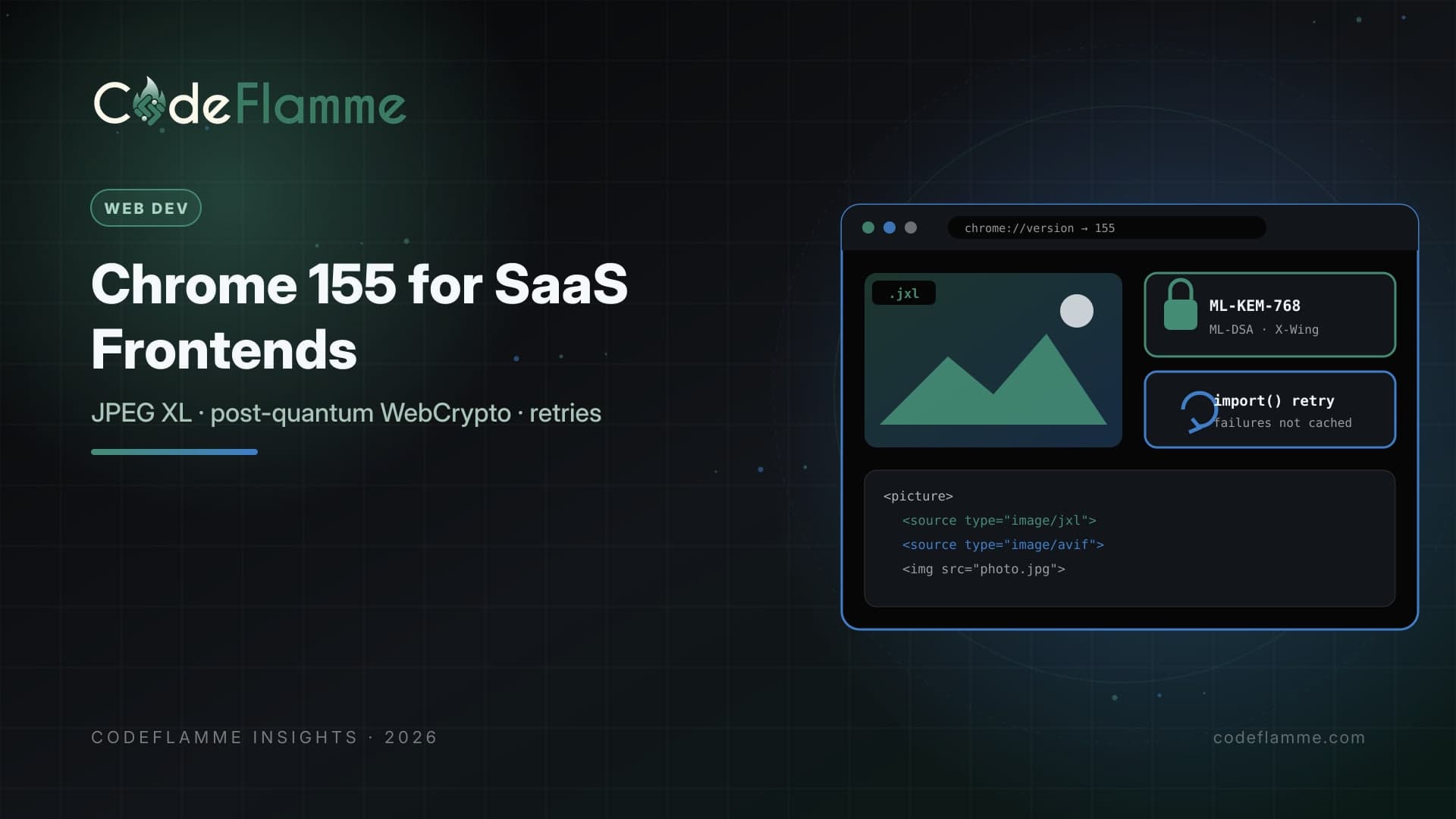
Chrome now decodes JPEG XL ( image/jxl ) using jxl-rs , a memory-safe decoder written in Rust. The Chrome team describes the format as offering progressive decoding, wide color gamut, HDR, high bit depth, animation, and lossless JPEG transcoding, and recommends trying both AVIF and JPEG XL, with JPEG XL most helpful for high-fidelity or lossless photographic images. For SaaS products that handle photos, such as inspection, real estate, healthcare imaging previews, or design review, it is worth testing in your image pipeline. Do not switch formats wholesale. Serve JPEG XL through content negotiation or the <picture> element with AVIF, WebP, or JPEG fallbacks, so browsers without support keep working. Measure file sizes and decode performance on your own images rather than relying on general claims.
<picture>
  <source srcset="/img/site-photo.jxl" type="image/jxl">
  <source srcset="/img/site-photo.avif" type="image/avif">
  <img src="/img/site-photo.jpg" alt="Inspection photo, north wall"
       width="1600" height="1067" loading="lazy">
</picture>
Post-quantum WebCrypto: start inventorying
Chrome 155 adds NIST-standardized post-quantum algorithms to the Web Cryptography API: ML-KEM at 768 and 1024, ML-DSA at 44, 65, and 87, plus ChaCha20-Poly1305 and the X-Wing hybrid KEM, following a draft specification for modern algorithms in WebCrypto. Most SaaS products do not run custom cryptography in the browser, and transport security is handled by TLS, so this is not an emergency. But if your product does client-side encryption, such as end-to-end encrypted messaging, password managers, or encrypted document vaults, now is the time to inventory where you use key exchange and signatures and to plan for hybrid schemes.
Retryable module loads fix a real support ticket
Until now, if a dynamic import() failed because of a flaky network, the failure was cached and every retry failed immediately until a full reload. Chrome 155 changes module loading so failed loads can be retried manually by calling import() again. For SaaS apps that lazy-load routes and heavy features, this is a practical improvement for users on unstable connections, such as field teams on mobile networks. Add a small retry with backoff around lazy imports and show a friendly message if it still fails.
async function importWithRetry(load, attempts = 3) {
  for (let i = 0; i < attempts; i++) {
    try { return await load(); }
    catch (err) {
      if (i === attempts - 1) throw err;
      await new Promise(r => setTimeout(r, 500 * 2 ** i));
    }
  }
}
// const Reports = await importWithRetry(() => import('./reports.js'));
Text imports and streaming HTML
Chrome 155 supports importing text modules with import … with { type: "text" } , loading a file as a string. It also exposes positional HTML methods such as before() , after() , append() , and replaceWith() that accept HTML, and streaming methods such as streamAppendHTML() that return a writable stream, with Trusted Types integration. These are interesting for server-driven UI and for streaming large reports into the page, but your bundler and framework probably handle these jobs already. Treat them as features to watch, and keep using your framework's sanitization and Trusted Types policies for any HTML from users or AI output.
Smaller items B2B teams may like
Chrome 155 also adds CSS margin-trim for block containers, inline counter styles with symbols() , text-decoration-skip-spaces , and additional window management controls for installed apps with the window-management permission. If you ship a desktop-style installed web app, for example for virtual desktop environments, the new maximize, minimize, and restore controls may simplify window handling.
Test across your real browser mix
B2B customers often run managed browsers on long update cycles, and some standardize on browsers other than Chrome. Before relying on any new capability, check your analytics for the browser versions customers actually use, and keep feature detection in place. For images, the Chrome team suggests detecting support with ImageDecoder.isTypeSupported('image/jxl') where you decode in script; for markup, the <picture> fallback chain does the work. For new JavaScript APIs, wrap usage in capability checks and keep the existing path as the default.
Put platform updates on a schedule
Chrome ships a new stable version roughly every four weeks, and the next, Chrome 156, is expected on October 20, 2026. Rather than reacting to each release, assign someone to skim release notes monthly, file small tickets for features worth adopting, and flag anything that could break existing behavior, such as changes to module loading or cookies. Fifteen minutes a month keeps a frontend team ahead of surprises reported by customers.
Security teams will notice the crypto change
Enterprise security reviewers increasingly ask vendors about post-quantum readiness. Even if you do not use browser cryptography directly, it helps to have a short answer: where your product relies on TLS, which providers handle it, and how you will adopt post-quantum or hybrid key exchange as your infrastructure supports it. Chrome 155's WebCrypto additions are a useful prompt to write that answer down.
Founder takeaway
Chrome 155 is a good release for SaaS frontends without being urgent. Add retry logic around lazy imports now, since it helps users immediately. Test JPEG XL with fallbacks if you serve high-fidelity photos. Start a cryptography inventory if you encrypt in the browser. Watch text imports and streaming HTML, and keep your sanitization strict. Ship everything behind feature detection, because not every customer browser will match Chrome.