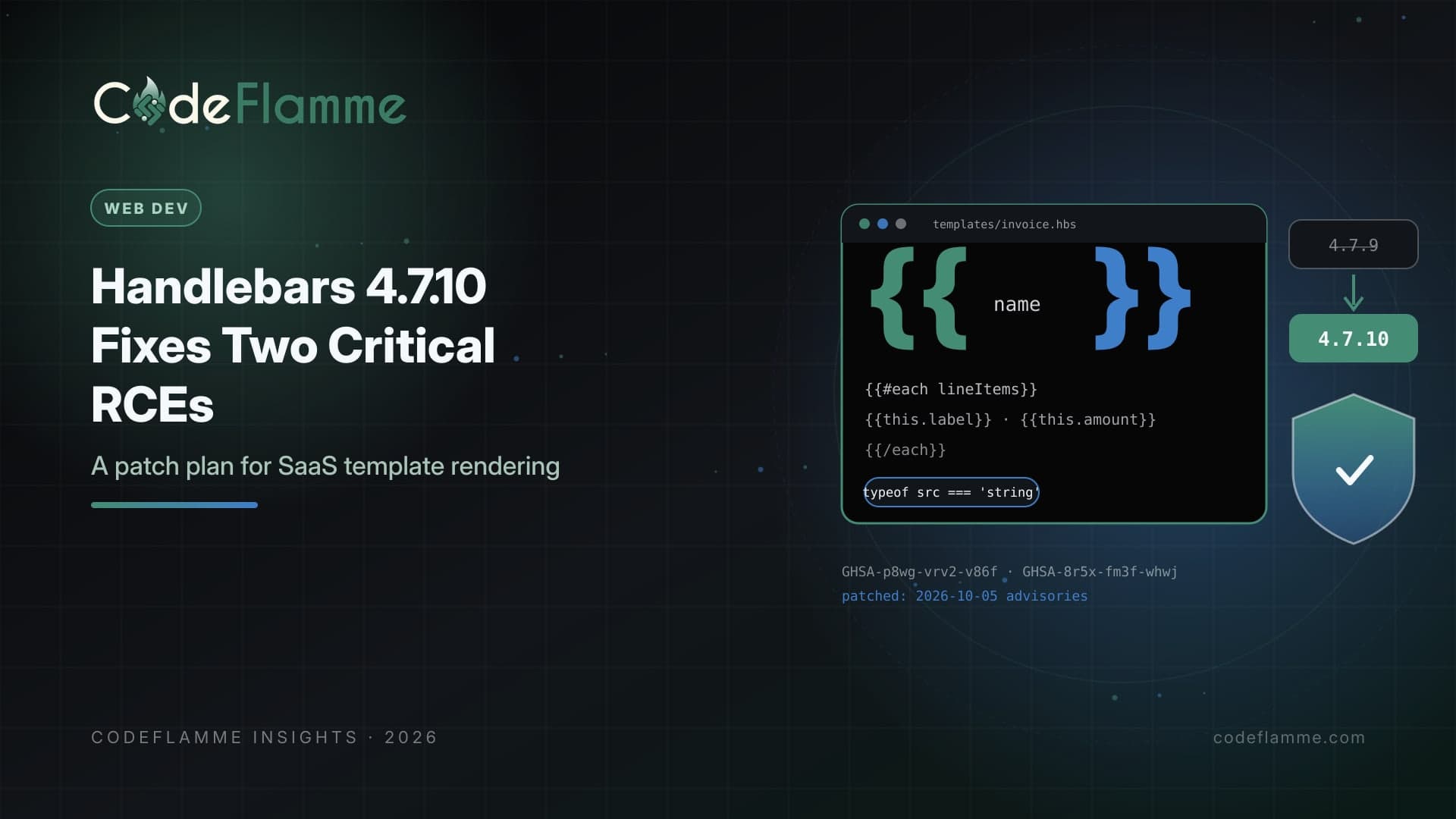
Handlebars is one of those dependencies most SaaS teams forget they have. It renders transactional emails, invoice PDFs, white-label pages, notification templates, and documentation sites, and it often arrives transitively through build tools and email libraries. On October 5, 2026, the project's maintainers published two critical security advisories that affect every release from 4.0.0 through 4.7.9. Both are fixed in Handlebars 4.7.10. The write-ups include working proof-of-concept code, so the details are public. A SecurityOnline report on October 7 noted that the advisories did not report exploitation in the wild at the time. That is the window to act in: patch before anyone needs to prove the exploit works against your product.
What the two advisories cover
GHSA-p8wg-vrv2-v86f, an own-property check bypass. Handlebars keeps a deny list meant to stop templates from reaching dangerous properties such as constructor . The advisory shows that once a template reaches a prototype object, the constructor lookup is returned as an own property before the deny list is consulted, which exposes the Function constructor. An attacker who can render a controlled template while allowProtoMethodsByDefault: true is set can run arbitrary JavaScript on the server. The advisory rates it 9.2 under CVSS 4.0. GHSA-8r5x-fm3f-whwj, AST type confusion in compile. Handlebars.compile() and precompile() accept a pre-parsed syntax tree as well as a template string. Validation added in 4.7.9 only checks some node types, so an untrusted object can smuggle JavaScript into the generated template function. The common trigger is passing a field from a parsed JSON request body straight into compile() . With compile() the code runs on your server; with precompile() it ends up in the compiled output and runs wherever that output loads, including users' browsers. It is rated 9.8 under CVSS 3. Applications that only ever pass template strings are not affected by this one.
Step 1: find every copy
Start with the lockfiles, not the package.json files. Handlebars frequently appears several levels deep, and monorepos often carry multiple versions at once. Check application services, background workers that render emails or PDFs, internal tools, documentation builds, and any serverless functions that were deployed once and never touched again. Container images matter too: a service built months ago may still ship 4.7.9 even if your repository has moved on.
# Which versions are installed, and who pulls them in?
npm ls handlebars --all
# or: pnpm why handlebars / yarn why handlebars

# Force the patched version for transitive copies (npm)
# package.json
# "overrides": { "handlebars": "4.7.10" }

# Then confirm nothing older survives
npm ls handlebars --all | grep -v 4.7.10
Step 2: patch, then rebuild what you ship
Upgrade direct dependencies to 4.7.10, add an override or resolution for transitive copies, regenerate lockfiles, and rebuild every image and bundle that contains Handlebars. If you precompile templates at build time, rebuild those artifacts as well, because the second advisory concerns what gets written into compiled output. Then deploy through your normal pipeline rather than hot-patching servers, so the fix is reproducible and visible in your change history.
Step 3: look at how you call it
Patching closes the known holes, but the advisories also describe patterns worth removing permanently: Never pass non-strings to compile. Add a type check at every call site, especially in API handlers that accept template content. A template is text; anything else is a bug or an attack. Do not enable prototype access for untrusted templates. If allowProtoMethodsByDefault or allowProtoPropertiesByDefault appear in your codebase, find out why and remove them for any template a customer or end user can influence. Use the runtime-only build on servers that never compile. If templates are precompiled during the build, the handlebars/runtime package lets servers render without shipping the compiler at all, which removes an entire class of risk.
import Handlebars from 'handlebars';

export function compileTenantTemplate(source: unknown) {
  if (typeof source !== 'string') {
    throw new TypeError('Template must be a string');
  }
  if (source.length > 50_000) {
    throw new RangeError('Template too large');
  }
  // No prototype access options for tenant-controlled templates
  return Handlebars.compile(source, { strict: true });
}
Customer-editable templates deserve their own threat model
Many B2B products let admins customize notification emails, quote documents, or portal pages. That feature is valuable, and it is also a code-execution surface if the template engine has a flaw. Render customer templates in an isolated worker with minimal credentials, no access to production secrets, tight timeouts, and network egress limited to what rendering needs. Keep the data passed into templates to a plain, purpose-built object rather than full database records or service clients. If a future advisory lands, the blast radius is then a sandboxed renderer, not your API tier.
Check the logs, then tell customers what you did
Patching is the priority, but it is worth a quick look backward. Search application logs for template compile errors, unusually large template submissions, or request bodies where a template field arrived as a JSON object instead of a string. If your product exposes template editing to customers, review recent template changes for lookups involving prototype properties. If anything looks suspicious, treat it as an incident: rotate credentials available to the rendering process and preserve logs. Enterprise customers may ask whether you were affected. A short, factual note works best: which components used Handlebars, which versions, when you upgraded to 4.7.10, and whether any untrusted input could reach the vulnerable paths.
Founder takeaway
This is a small fix with a large downside if ignored. Find every Handlebars copy today, upgrade to 4.7.10, rebuild and redeploy what you ship, and add a string type check to every compile call. If customers can edit templates, move rendering into a sandboxed worker this quarter. Then write down who owns dependency advisories, so the next critical notice gets a same-day response by default.