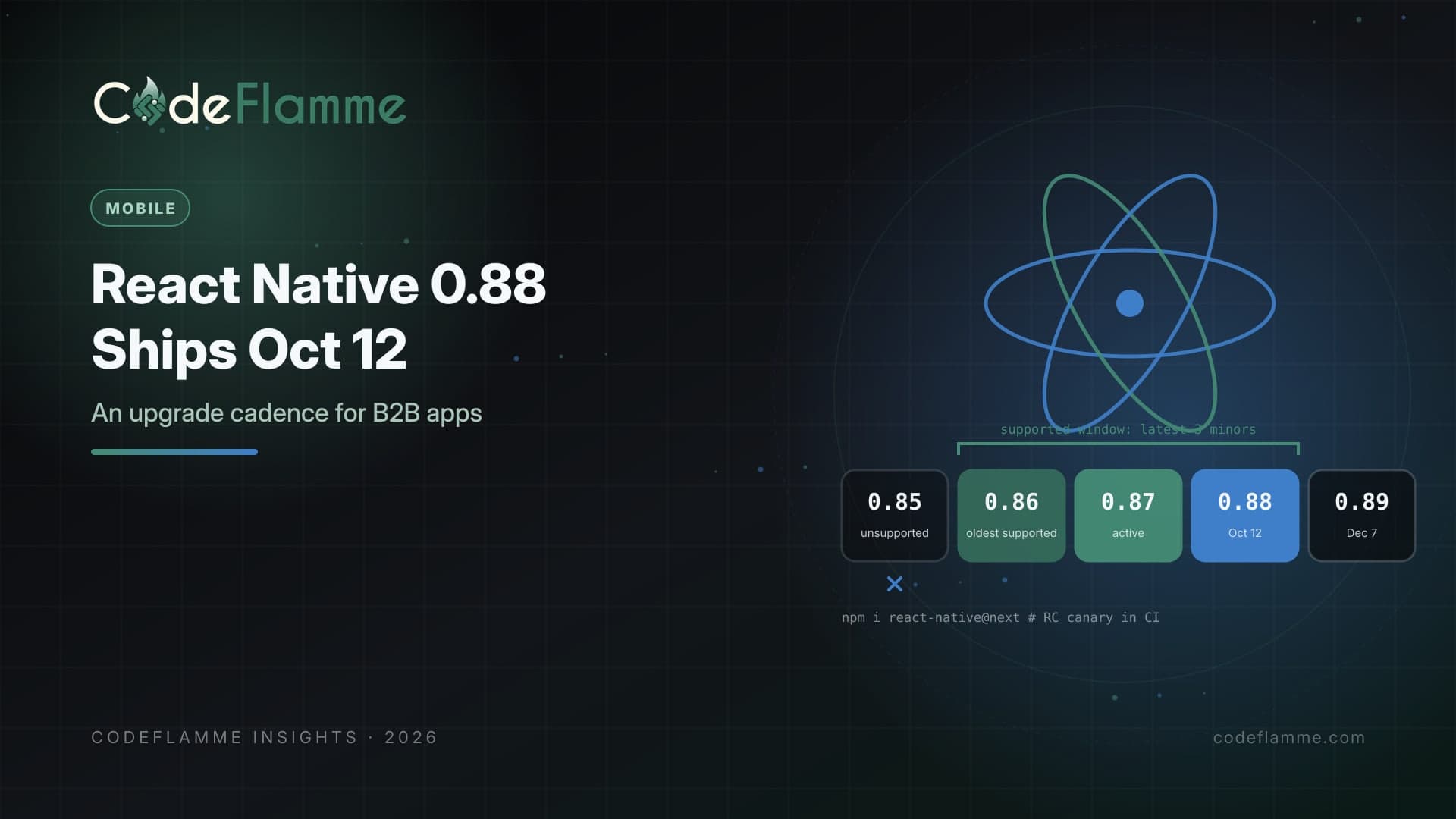
React Native releases on a published schedule, and most B2B app teams still treat upgrades as rare, painful projects. That gap is where risk accumulates. According to the React Native releases overview, version 0.88 had its branch cut on September 7, 2026, and is scheduled for release on October 12, 2026. Release candidate 0.88.0-rc.4 was published on October 7. The next version, 0.89, is scheduled for branch cut on November 3 and release on December 7.
What October 12 means for support
The project commits to maintaining the latest three minor series with regular updates and bug fixes. Today, 0.87 and 0.86 are in active support and 0.85 is at end of cycle. The support policy says that when a new version becomes the latest stable, the version in end of cycle receives one last patch and then moves to unsupported. So once 0.88 ships, 0.85 should leave the supported window, and 0.86 becomes the oldest supported line. If your app is on 0.85 or older, you will soon be on a version that the project says to upgrade from as soon as possible. For B2B apps that customers deploy to managed fleets, that matters in security reviews as much as in engineering.
A cadence that fits a small team
Upgrade every other release. With a minor roughly every two months, a team that upgrades every second release stays inside the three-minor window with time to spare. That means one planned upgrade per quarter rather than a crisis per year. Test release candidates in CI. Release candidates are published to npm under the next tag. Add a scheduled CI job that builds your app against the current release candidate and runs your test suite. You will learn about breaking native dependencies weeks before you need to upgrade, and you can report problems while the release team is still accepting fixes. Use the Upgrade Helper. The project links its Upgrade Helper from each release. It shows the template diff between versions, which is usually the fastest way to see native project changes. Upgrade dependencies first. Navigation, storage, analytics, push, and device-management libraries often lag. Check their compatibility with the target version before you start, and budget time for the one that will inevitably need a patch.
# What versions are on each channel right now?
npm view react-native dist-tags

# Scheduled CI canary against the release candidate (illustrative)
# jobs:
#   rn-next-canary:
#     schedule: weekly
#     steps:
#       - npm install react-native@next
#       - npx react-native doctor
#       - npm test && ./scripts/build-ios.sh && ./scripts/build-android.sh
Line it up with store requirements
Framework upgrades rarely happen in isolation. Apple has required apps uploaded to App Store Connect to be built with Xcode 26 and the iOS 26 SDK since April 28, 2026, and has announced that from April 2027 uploads must use the iOS 27 SDK. Google Play has its own target API deadlines on an annual rhythm. Planning React Native upgrades a quarter ahead of these dates means toolchain changes land in a calm release, not alongside an urgent store requirement.
B2B specifics worth planning for
Enterprise customers often pin app versions through mobile device management and roll out updates slowly. Keep a support policy for old app versions, ensure your backend APIs tolerate them, and use feature flags rather than forced updates when possible. If you rely on over-the-air updates, remember that native changes in a React Native upgrade require a full store release and a matching runtime version, so schedule upgrades with your OTA channels in mind.
Make upgrades boring with good tests
The real cost of a React Native upgrade is not the version bump, it is finding out what broke. Invest in a small set of end-to-end tests that cover sign-in, the main workflows, offline behavior, push notification handling, and any native modules you wrote yourself. Run them on real devices or a device farm for both platforms, including the oldest OS versions you support. With that safety net, most upgrades become a day or two of work instead of a sprint.
Read the changelog with a checklist
For each release, scan the changelog for four things: breaking changes in APIs you call, changes to the build toolchain such as minimum Xcode, Android Gradle Plugin, or Node.js versions, behavior changes in accessibility and gestures, and fixes for bugs you have worked around. Even release candidates can carry fixes that matter; 0.88.0-rc.4, for example, includes an Android accessibility fix for views re-enabled after being disabled. Removing old workarounds after an upgrade is one of the quiet wins of staying current.
Budget it like any other maintenance
Put the upgrade on the roadmap with an owner and a time box each quarter, and track it like a feature. When upgrades are invisible work squeezed between features, they slip until a store deadline or a security issue forces them. When they are planned, they are cheap.
Know what you will say when asked
Customers rolling your app out to thousands of devices increasingly ask which framework versions you run and how quickly you patch. A simple answer, such as staying within the latest three React Native minors and upgrading at least once per quarter, is easy to evidence with release notes. It turns a potential objection in a security review into a sign of engineering maturity.
Founder takeaway
October 12 is a good day to set a rhythm. If you are on 0.85 or older, plan the upgrade now. If you are current, add a release-candidate canary to CI, upgrade every other release, check dependencies first, and align upgrades with Apple and Google toolchain dates. Predictable small upgrades are cheaper than one heroic migration every two years.